


Curious about what's new in SERPed.net? We've been hard at work, and this update is packed with new features and improvements designed to give you more flexibility, better performance, and a smoother user experience.
In this post, we'll walk you through everything that's new and show you how these updates can help you manage SEO projects more effectively and drive better results.
What Ranks Where
Search Intent & SERP Features
We've added two new columns to the What Ranks Where results table:
Search Intent (INT), which indicates the primary purpose behind a search query, such as informational, navigational, transactional or commercial. Search engines use intent signals to determine which types of results and SERP features are most relevant to display for a given keyword.
SERP Features (SERP), which shows which SERP features appear for the listed keyword, such as Featured Snippets, People Also Ask boxes, Local Packs, Image Packs, Video Results, and more.
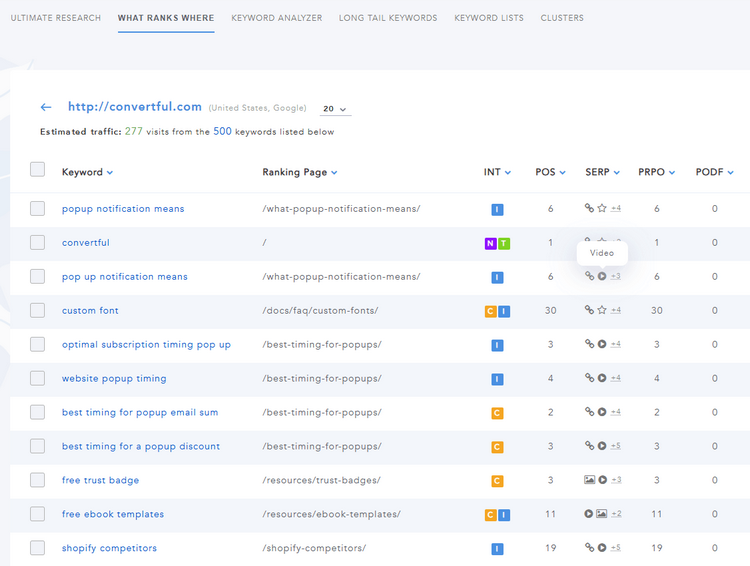

These additions give you deeper insight into how Google interprets each keyword and what opportunities exist on the search results page. This can help you create better-targeted content, identify high-value keywords, and develop more effective SEO strategies.
Keyword Lists
Multiple Keyword Selection
You asked for it, and we made it happen!
You can now select multiple keywords in your keyword lists and perform a variety of actions in bulk. For example, you can send keywords to Rank Tracker, add them to Site Manager, move them to a new list, export them, or remove them, all in just a few clicks.
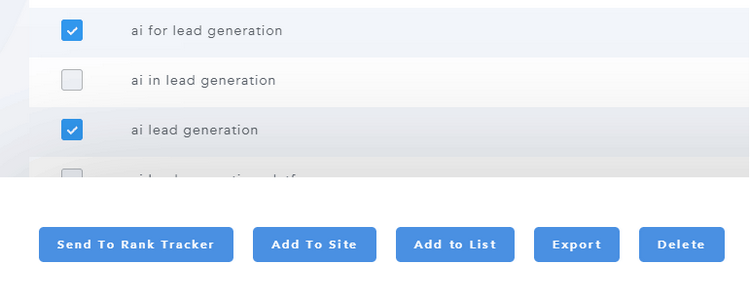

This enhancement makes keyword management faster, easier, and more efficient, especially when working with large keyword lists.
New Options
We've also replaced the trash icon with a new three-dot action menu, giving you quick access to a variety of actions directly from your keyword list.
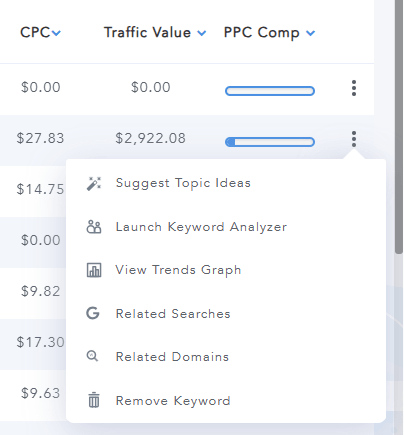

For example, you can generate topic ideas, send a keyword to Keyword Analyzer, view the trends graph in full-screen mode, export keyword data, remove keywords, and more, all without leaving the current page.
This makes keyword research and management faster, more convenient, and less cluttered.
Site Explorer
New Metrics
We've added two new metrics to Site Explorer:
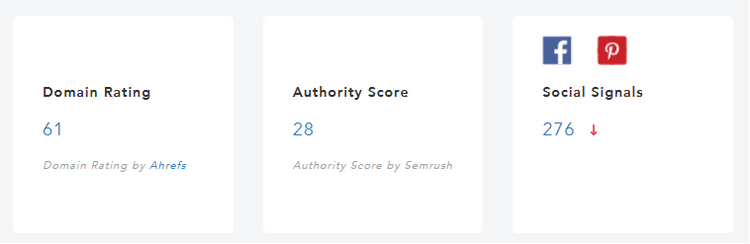
Domain Rating from Ahrefs, which measures the overall strength of a website's backlink profile on a logarithmic scale from 0 to 100. It is one of the most widely used authority metrics in SEO and can help you quickly evaluate the relative strength of a domain.
Authority Score from Semrush, which estimates a domain's overall SEO authority and quality based on factors such as backlink strength, organic search performance, and spam indicators. It provides another useful benchmark for assessing the credibility and competitiveness of a website.
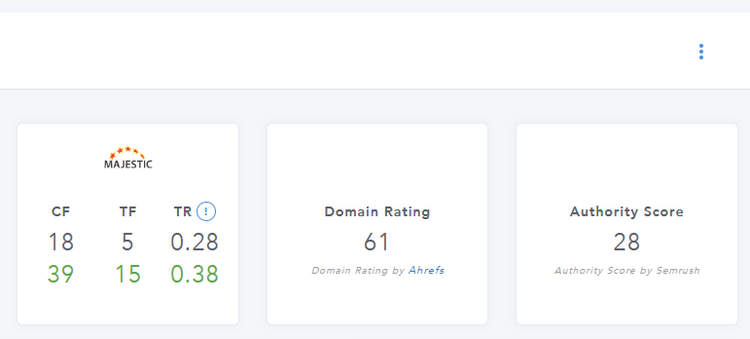

Please note that we've also added these metrics to Site Manager, allowing you to view and compare them across all your websites and client projects at a glance, without having to open each site individually in Site Explorer.

New Ratios
We've added two new ratios to Site Explorer:
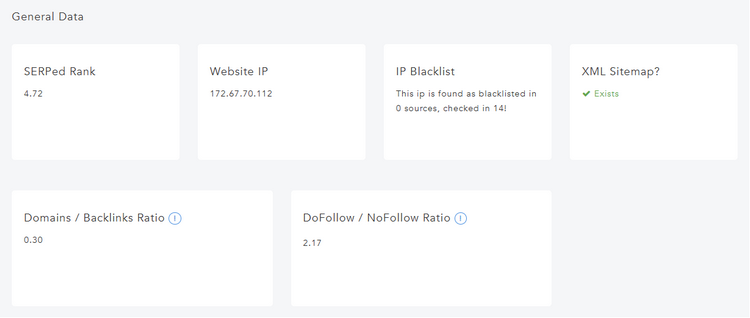
Referring Domains / Total Backlinks, which measures whether links come from many unique sites or from a small number of potentially spammy sources. Formula: Number of Referring Domains / Total Number of Backlinks. A higher proportion of unique referring domains is generally a positive sign. For example, having 10,000 backlinks from only 8 domains can be a red flag.
DoFollow / NoFollow Ratio, which measures the balance between follow and nofollow backlinks in a site's link profile. Natural backlink profiles usually include both. Formula: Number of DoFollow Links / Number of NoFollow Links. There is no perfect target ratio, but extremely one-sided ratios may appear unnatural.
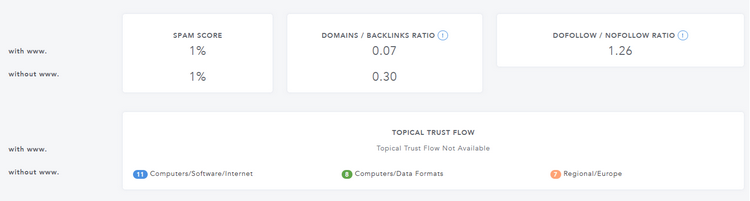

Please note that we've also added these ratios to Site Manager, allowing you to monitor them at a glance across all your websites and client projects without having to open each site individually in Site Explorer. You will find them under the “PAGE STATS” tab.

New Trust Ratio Column
We've added a Trust Ratio column to the Site Explorer history page.
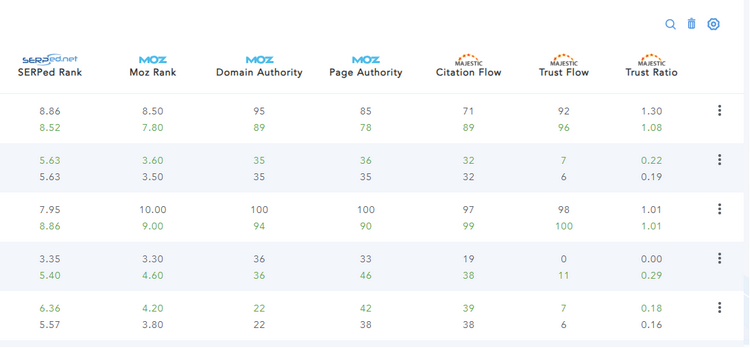

As a reminder, the Trust Ratio, available in the Overview section of Site Explorer, is calculated by dividing Trust Flow by Citation Flow. This metric helps you evaluate the overall quality of a site's backlink profile by showing how much trust exists relative to the total link volume.
In general, a higher Trust Ratio suggests a stronger, more trustworthy backlink profile, while a lower ratio may indicate that a site has accumulated a large number of lower-quality links. With this new column, you can now track how a site's Trust Ratio changes over time and identify trends more easily.
Please note that we've also added it to Site Manager, making it easier to monitor at a glance, whether you're managing your own websites or keeping track of client projects.
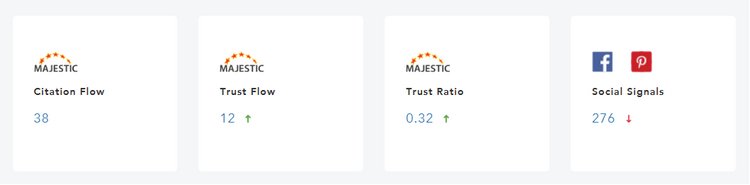

With the Trust Ratio now displayed directly in Site Manager, you can quickly identify sites with strong backlink profiles, spot potential issues, and prioritize optimization efforts without having to open each site individually in Site Explorer.
Last but not least, we've also added the Trust Ratio to Backlinks Manager, allowing you to quickly assess the quality of the pages where your monitored backlinks are located.
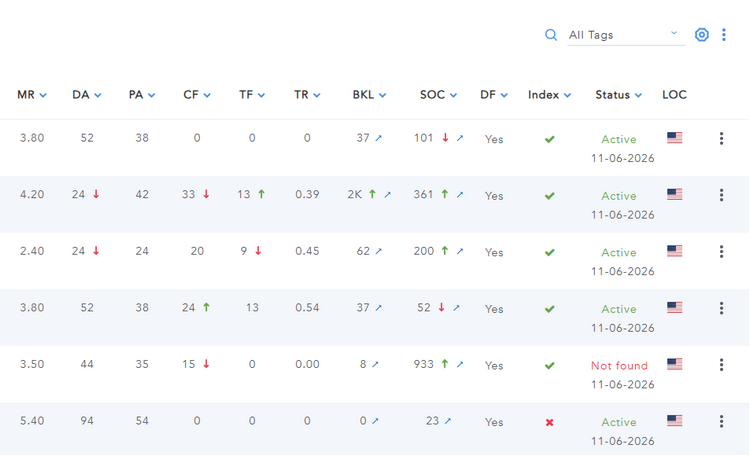

This makes it easier to identify valuable link placements, spot potentially low-quality backlink sources, and prioritize your link-building and outreach efforts based on the trustworthiness of linking pages.
Index Checker
New Re-Run Option
When you re-run a check in Index Checker, you now have the option to either add the new results to the existing list or create a new list.
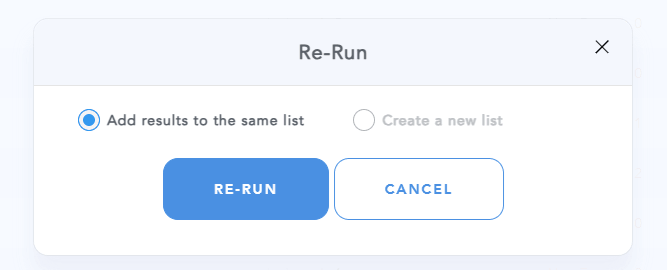

This gives you more flexibility when tracking indexing changes over time, allowing you to keep all results in a single list or organize each check separately for easier comparison and analysis.
Site Reports
Limitation Removal
We've improved our Rank Tracking reporting feature to allow users to include more than 30 keywords per report.
This enhancement provides greater flexibility when creating reports and significantly reduces the risk of timeouts caused by large amounts of data being processed. As a result, you can generate more comprehensive reports while enjoying improved reliability and performance.
More features and improvements are coming soon. Stay tuned!
➡️ Not a member yet? Click here to sign up now…
➡️ Already a member? Log in now and give these new features a try!
If you have any questions or feedback, don't hesitate to leave a comment below.
Remember you can also find us on Facebook, Twitter and LinkedIN.